
If you’ve ever run a paid campaign—Google Ads, Meta, or even LinkedIn—you already know how crucial that first click experience is. You can spend hundreds (sometimes thousands) driving traffic, but if your landing page flops, well… your ROI evaporates.
That’s where tools like Instapage step in. It promises to make landing page creation effortless, lightning-fast, and conversion-focused. But does it actually live up to the hype in 2026?
Let’s break it down—no fluff, no sugarcoating. Just an honest, human review from someone who’s actually used this platform in real campaigns.
🧩 What Is Instapage?
Instapage is a cloud-based landing page platform designed primarily for marketers and businesses that live and breathe conversions. Unlike generic website builders, its sole obsession is landing pages—those single-purpose pages designed to capture leads, sell a product, or get visitors to take a specific action.
It’s not trying to replace your website. Instead, it helps you build separate, laser-focused pages for ads, promotions, webinars, or product launches.
Think of it as the Ferrari of landing page builders: sleek, fast, and built for performance—but not exactly cheap.
🎯 Who Is Instapage For?
Honestly? It’s not for everyone.
If you’re a freelancer who just wants to throw together a quick signup page, this might feel like overkill. But if you’re running paid campaigns at scale, managing multiple clients, or leading a marketing team—Instapage can be a serious competitive advantage.
It’s used by brands like eBay, HelloFresh, SoundCloud, and Verifone, which should tell you something about the kind of audience it’s built for: performance marketers who care about every conversion point.
⚙️ Key Features of Instapage
Let’s talk about what makes it stand out.
1. Drag-and-Drop Page Builder
The builder is what first hooks most users. You can literally drag anything—buttons, text, images, forms, videos—anywhere you want. There’s zero coding required.
Unlike other page builders that restrict elements to a rigid grid, Instapage gives you complete design freedom. It’s almost like working in Canva or Figma, except you’re building fully functional landing pages.
You can even fine-tune details down to pixel alignment. Designers love that kind of control.
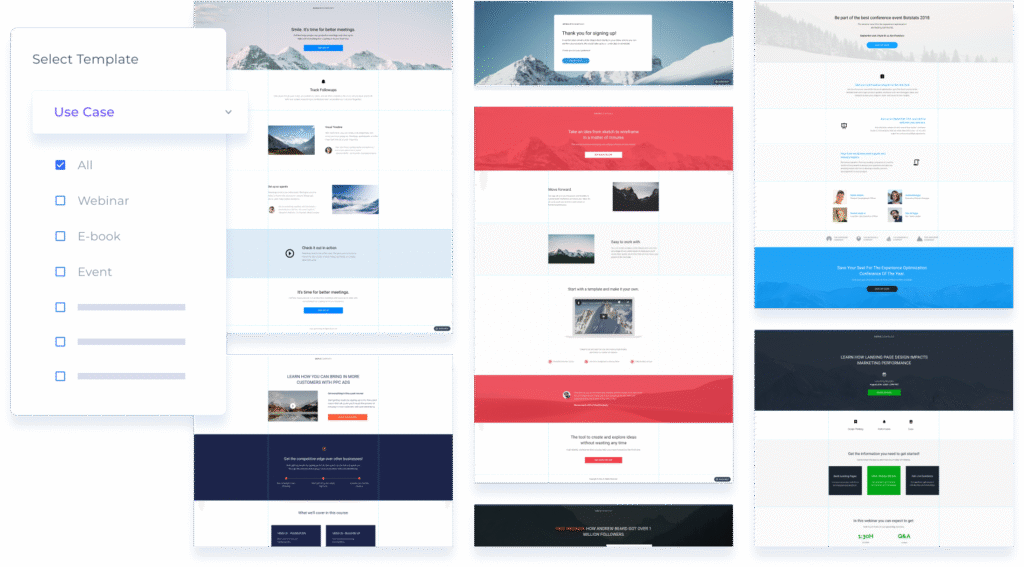
2. Hundreds of Professionally Designed Templates
If design isn’t your strong suit, don’t sweat it. The platform offers over 200 pre-designed templates for different goals: lead capture, product launches, webinars, app downloads, you name it.
Each template follows conversion best practices—proper spacing, smart CTAs, and mobile optimization out of the box.
You just replace the text, drop in your logo, and tweak the visuals. Done.
3. AdMap® – Visual Ad-to-Page Connection
This one’s a game-changer.
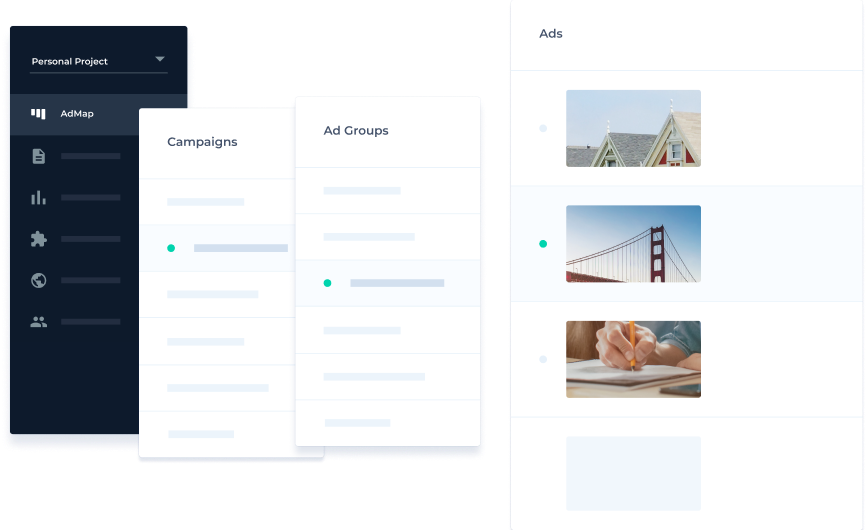
AdMap® lets you connect each of your ads (from Google or Facebook) to its specific landing page in a visual dashboard. You can literally see how your campaigns are structured.
So, instead of guessing which ad points to which page, you have a bird’s-eye view. It’s great for agencies managing multiple accounts or teams juggling dozens of campaigns.
4. Personalization & Dynamic Text Replacement
Personalization isn’t just a buzzword anymore—it’s a conversion booster.
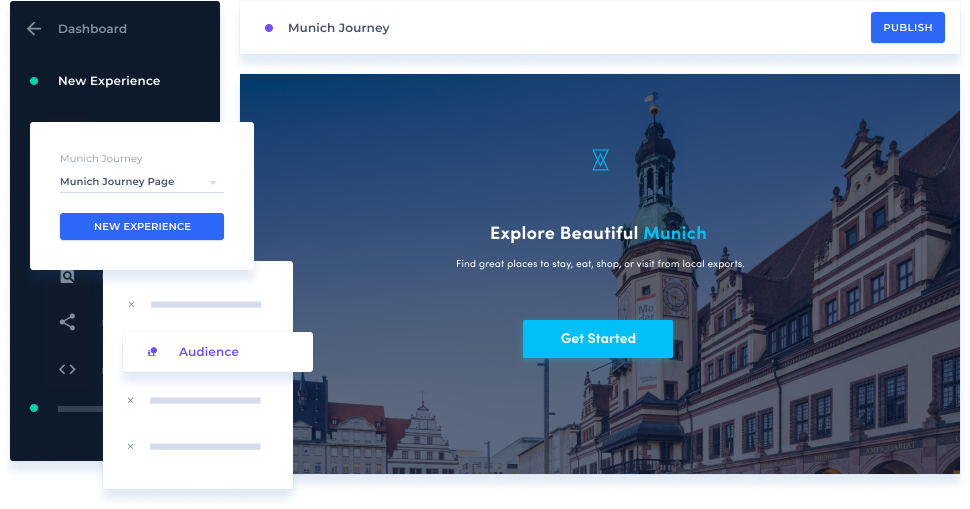
With Instapage, you can change page elements dynamically based on visitor data. For example:
- A visitor coming from a Los Angeles ad might see “Get Fast Shipping in LA.”
- Another visitor from New York might see “Exclusive Offer for NYC Customers.”
The same landing page, but with a personalized touch. That kind of subtle tweak can improve conversion rates dramatically.
5. A/B Testing and Analytics
Of course, no landing page tool is complete without split testing.
You can duplicate a page, tweak a headline or button color, and let Instapage test both versions automatically.
The platform provides clear data on which version performs better, so you’re not just going by “gut feeling.”
It also integrates seamlessly with Google Analytics, Tag Manager, and heatmaps for deeper insights.
6. Lightning-Fast Page Speed
Here’s a stat worth remembering: a one-second delay can drop your conversion rate by up to 7%.
That’s why Instapage is engineered for speed. It uses an advanced global network (AMP support and automatic image optimization) to ensure your pages load in under three seconds.
If you’re spending thousands on ads, those seconds literally translate to revenue.
7. Collaboration Tools
If you work in a team, you’ll love this part.
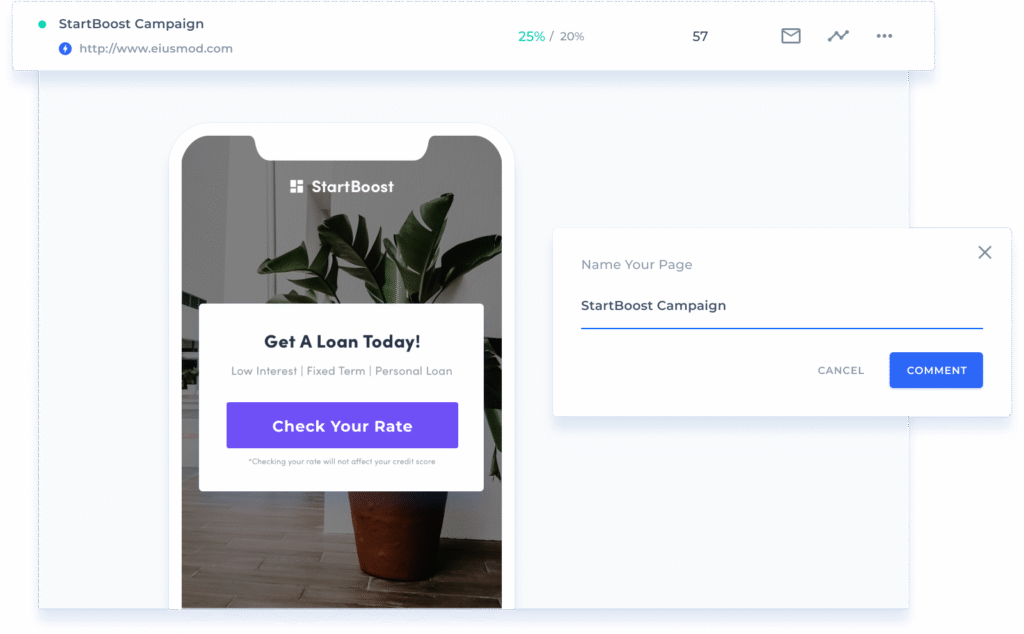
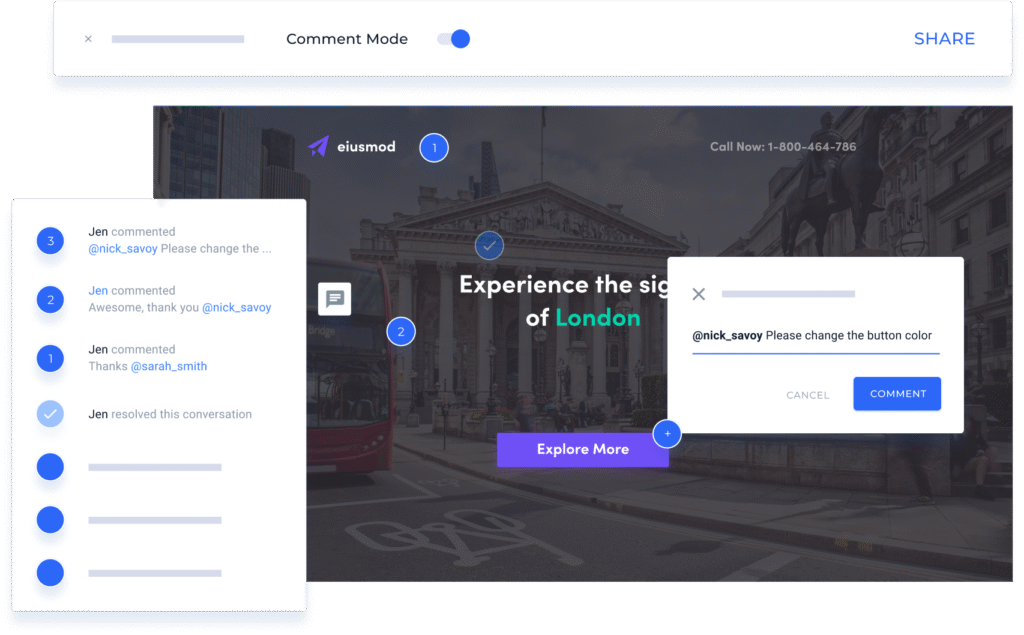
Instapage includes built-in collaboration features—commenting, approvals, version history—all within the same interface.
Instead of sending screenshots back and forth, designers and marketers can leave feedback directly on the page. It’s like Figma meets landing page building.
8. Integrations Galore
You can connect Instapage with practically every major marketing platform:
- CRM: Salesforce, HubSpot
- Email: Mailchimp, ActiveCampaign, ConvertKit
- Analytics: Google Analytics, Segment, Facebook Pixel
- Ads: Google Ads, Meta Ads, LinkedIn Ads
Basically, it plays nice with your existing tech stack.
9. Post-Click Optimization
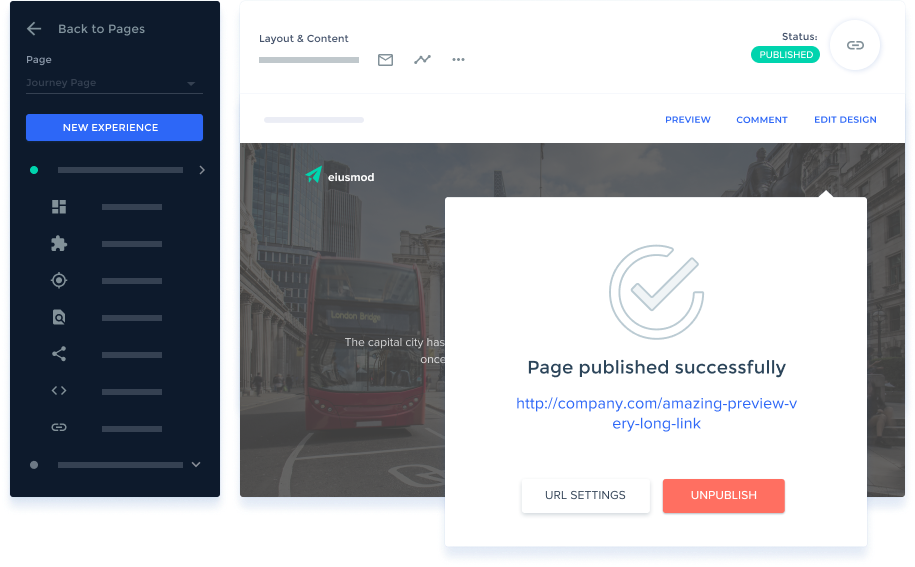
Most tools focus on “pre-click” (ads and targeting). Instapage flips the script—it focuses on what happens after the click.
It’s all about the post-click experience: message matching, speed, relevance, and personalization.
That’s why it’s loved by marketers who care about end-to-end conversion journeys.
💡 Real-World Example
Let’s say you’re running a paid Google Ads campaign for a fitness app. You’ve got three ad groups:
- Weight loss
- Home workouts
- Diet tracking
Using Instapage, you can easily create three versions of the same landing page, each customized for those specific keywords.
Visitors searching “best home workouts” land on a page with “No Gym? No Problem. Get Fit from Home.”
Those searching “track my diet” see “Smarter Eating Starts Here.”
Same app, different angles—and better conversions.
That’s the kind of detail that separates good marketers from great ones.
👍 Pros of Instapage
Let’s talk strengths—because there are plenty.
✅ 1. Stunning Design Freedom
Unlike other builders that lock you into grids or blocks, this one gives you free-form control. It’s as flexible as designing in Photoshop—but far easier.
✅ 2. Conversion-Focused Templates
Everything is designed with marketing psychology in mind: eye flow, color contrast, and CTA placement.
✅ 3. Team Collaboration
You can literally build, review, and approve pages all in one workspace. It saves days of back-and-forth.
✅ 4. Blazing Page Speed
The performance optimization is top-tier. Mobile pages especially load noticeably faster than on most competitors.
✅ 5. Enterprise-Grade Reliability
You get SSL certificates, GDPR compliance, and rock-solid uptime. Perfect for agencies or corporations handling sensitive data.
✅ 6. Seamless Integrations
The platform doesn’t exist in a silo—it connects with almost everything you already use.
👎 Cons of Instapage
Now, let’s be real. No platform is perfect.
❌ 1. Pricey for Small Businesses
This is the biggest drawback. Instapage isn’t cheap, and they know it. It’s a premium product with pricing to match.
If you’re bootstrapping or running a small campaign, it may feel like overkill.
❌ 2. Limited E-commerce Capabilities
It’s not designed for full-fledged online stores. You can add Stripe or PayPal buttons, sure, but it’s not Shopify.
❌ 3. Learning Curve for Perfectionists
While the drag-and-drop builder is intuitive, mastering the nuances—dynamic text, personalization rules, analytics—takes a bit of learning.
❌ 4. Fewer Template Categories Compared to Webflow
Some users feel that while the templates are gorgeous, they could use a bit more variety for niche industries.
💰 Instapage Pricing (2026)
Here’s where it gets interesting.
The company has streamlined its plans over the years, focusing on serious marketers rather than hobbyists.
As of 2026, Instapage offers two main tiers:
2. Create Plan – $79/month
- Website & landing page builder
- Reusable page blocks and forms
- Real-time visual collaboration
- Triggered popups and sticky bars
- AI content
- Contacts and email
- Programmatic pages
2. Optimize Plan – $239/month
- Everything on Create Plan
- Server-side A/B testing
- Hypothesis setting
- Experimentation history
- Customizable traffic splitting
- Scheduling
- Multi-step forms
- Dynamic text replacement
If you commit annually, you can bring that down slightly, but it’s still not “budget-friendly.”
2. Converting Plan – Custom Pricing
This plan is for enterprise clients who need:
- Everything on Optimize Plan
- Enterprise-ready platform
- Ad-to-page personalization
- Global elements
- Root domain publishing
- Heatmaps
- Direct lead bypass
- CSM & professional services
It’s tailored to large-scale marketing teams that manage dozens of campaigns at once.
🧠 Is Instapage Worth It?
That depends on your goals.
If you’re a solo entrepreneur running a few ads, probably not. You’ll get 80% of the results with a cheaper builder like Unbounce or Leadpages.
But if you’re managing thousands of ad clicks each week, every small optimization matters. In that world, Instapage easily pays for itself.
It’s like hiring a specialist mechanic for your race car—you could take it to any shop, but when performance matters, expertise costs extra.
🧭 Alternatives to Instapage
Let’s be fair—there are strong contenders out there.
| Platform | Best For | Pricing Starts At | Key Difference |
|---|---|---|---|
| Unbounce | SMB marketers | $99/month | AI Smart Traffic but less design freedom |
| Webflow | Designers & creatives | $14/month | Gorgeous sites but less conversion-focused |
| Leadpages | Budget-conscious users | $49/month | Simpler, but fewer enterprise tools |
| ClickFunnels | Sales funnels | $147/month | Focuses on multi-step funnels, not single pages |
So yes, the competition is fierce—but Instapage still reigns supreme for teams obsessed with conversion performance.
✍️ Final Verdict
So, is Instapage worth the price tag?
Well, if you care about performance, collaboration, and data-driven optimization—absolutely.
It’s not a tool you casually use once and forget. It’s a platform that becomes a core part of your digital marketing workflow.
But if you’re after a simple page builder to collect emails or promote a one-time webinar, you’ll probably find it overpowered (and overpriced).
Here’s the truth: Instapage isn’t just selling you a page builder—it’s selling speed, precision, and conversion intelligence.
And for marketers who understand that every percentage point counts, that’s worth every dollar.
⭐ TL;DR Summary
| Category | Verdict |
|---|---|
| Ease of Use | 9/10 |
| Design Flexibility | 10/10 |
| Templates | 8.5/10 |
| A/B Testing | 9/10 |
| Integrations | 9.5/10 |
| Pricing | 6/10 |
| Support | 9/10 |
| Overall Value | 8.8/10 |
Bottom Line:
If you’re serious about maximizing ROI on your ad spend, Instapage remains one of the most powerful tools on the market in 2026.
It’s premium, polished, and built for marketers who don’t settle for “good enough.”
Read Our another Review: QuickBooks Review 2026: King of Small Business Accounting?

