
Landbot Review – A Deep, Human Take on the No-Code Chatbot Builder
If you’ve ever tried to build a chatbot from scratch, you probably know the pain—endless lines of code, confusing logic paths, unexpected glitches, and the sinking realization that you may need a developer just to fix a tiny issue. That’s where Landbot steps in, almost like a friendly guide who grabs your hand and says, “Relax, I’ve got this.”
Actually, when I first stumbled upon Landbot, I wasn’t expecting anything groundbreaking. Another chatbot builder, I thought. But a couple of hours in… things shifted. The way it transforms complex conversational flows into visual Lego-like blocks feels surprisingly intuitive—even fun. And fun is not a word usually associated with automation software.
In this review, I’m diving deep into what Landbot offers—its features, how it works in real-world scenarios, where it shines, and what you can expect when it comes to pricing.
Let’s get into it.
What Exactly Is Landbot?
At its core, Landbot is a no-code chatbot builder designed to help businesses create conversational experiences for their websites, WhatsApp, and other platforms—without writing a single line of code. Think of it as a visual storytelling tool for customer interactions. Instead of crafting paragraphs of rules or technical scripts, you’re dragging, dropping, connecting, rearranging, and testing everything in real time.
It’s like creating a flowchart, except this flowchart actually talks to people.
What sets Landbot apart is the way it blends design and logic. You’re not just building an “automated assistant”; you’re crafting a mini-experience—one that greets users, guides them, asks questions, learns from their answers, branches intelligently, and completes tasks like booking, qualifying leads, or providing support.
Businesses use Landbot for:
- Lead generation
- Customer service automation
- Onboarding flows
- Feedback collection
- Interactive quizzes
- E-commerce guidance
- Appointment scheduling
Pretty much any repetitive customer interaction you can think of can be automated with Landbot—often in a fraction of the time it would take to build something comparable with traditional tools.
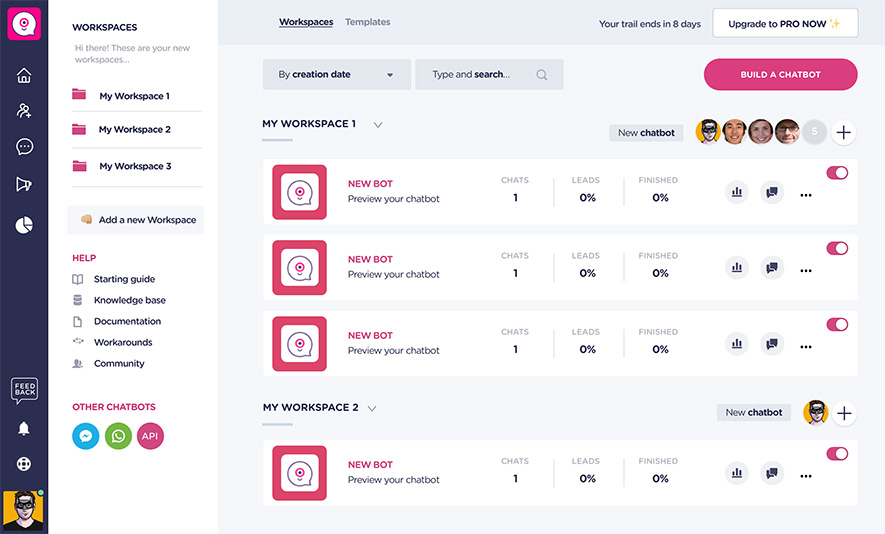
User Experience: How It Feels to Use Landbot
Let me put it simply: using Landbot feels refreshingly frictionless.
The Visual Builder
The visual builder is where Landbot shines most. Imagine dragging colorful blocks around like puzzle pieces, connecting them, rearranging sections, and seeing the logic unfold instantly. This system is incredibly helpful, especially for people who think visually (guilty).
Want to ask a question? Drop a block.
Want to save user input? Drop another block.
Want to add logic that changes the flow? Yep—block.
Even complex flows that normally require conditional logic, data branching, or webhook connections become digestible.
Templates
If you’re the type who likes to ease into new tools, Landbot has a library of templates covering lead capture, onboarding, surveys, e-commerce, support, and more. They’re a great starting point if you don’t want to build from scratch.
Learning Curve
Is there a learning curve? Sure, a tiny one. But compared to other automation platforms, Landbot feels almost playful. After about an hour, most people find themselves experimenting with confidence.
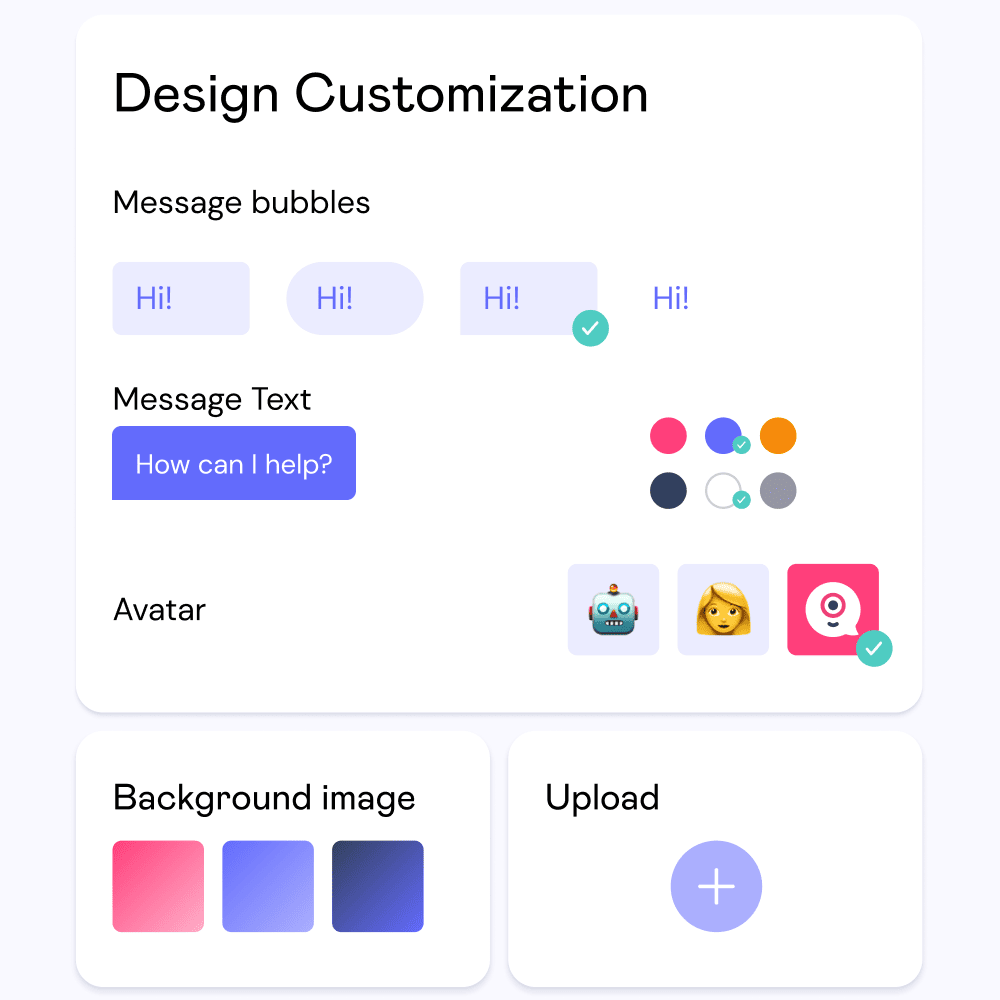
Key Features of Landbot
Let’s unpack what Landbot actually offers under the hood.
1. Website Chatbots
The classic use case. You can embed your bot on landing pages, product pages, or anywhere on your site. Instead of the typical dull chatbot bubble, Landbot gives you the chance to create conversational forms that feel dynamic and interactive.
Real-world example:
A real estate agency uses Landbot to pre-qualify leads by asking for location preferences, budget, timeline, and contact info—before passing everything to a human agent. The team reported saving hours every week.
2. WhatsApp Automation
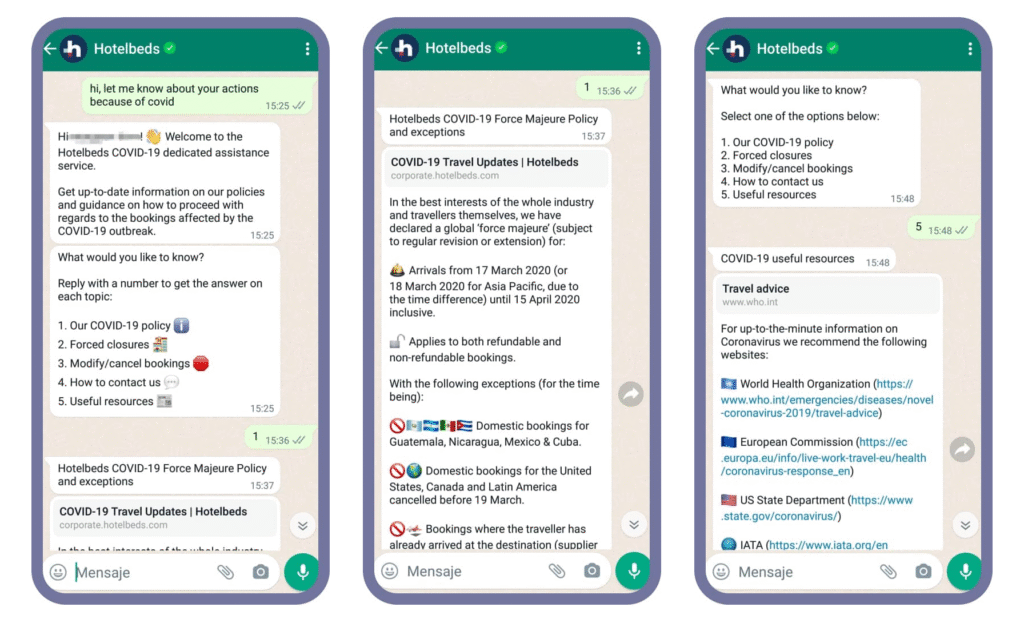
This is where many businesses start paying serious attention. Landbot offers WhatsApp automation that lets you create flows and integrate with WhatsApp Business API.
Why is this a big deal?
Because WhatsApp has insane open rates (often above 90%). When your bot can handle FAQs, appointment schedules, reminders, and even payments on WhatsApp… that’s powerful.
3. Conditional Logic
With conditions, you can personalize everything.
For example:
If the user says they’re interested in “Product A,” the bot can automatically send them info about A, book a meeting with the right rep, or route them to a tailored page.
All thanks to a simple flow connection.
4. API & Webhooks
Now, if you’re slightly more technical—or have developers on your team—Landbot becomes even more interesting. It allows you to connect with external apps through API calls. You can pull or push data, validate emails, send orders, sync with CRMs, post user responses to Google Sheets, or check product availability.
It’s no longer “just a chatbot.”
At this point, it’s more like a lightweight automation engine.
5. Integrations
Landbot integrates with:
- Zapier
- Make (formerly Integromat)
- Google Sheets
- Slack
- Salesforce
- HubSpot
- Mailchimp
- CRM tools
- Webflow
- Calendly
…and many others.
With Zapier or Make, the possibilities explode. Whatever tool you’re using, chances are the bot can talk to it.
6. Human Takeover Options
Some conversations need a real human—especially in customer service. Landbot supports easy handover options where a team member can jump in and take over the chat. You can also set rules such as:
- Hand over to human if the user expresses frustration
- Connect to agent during business hours
- Use fallback responses for unclear queries
7. Conversation Analytics
One thing I appreciate: Landbot gives you detailed analytics. You can see where users drop off, which questions confuse people, completion rates, and more. It’s almost like heatmapping for conversational flows.
Based on this data, you can tweak your chatbot to improve conversion or remove friction—similar to optimizing a landing page.
8. Multi-Step Forms Reimagined
Many businesses use Landbot not for “bots” but for replacing long, boring forms. When you convert a 32-field form into an interactive conversation, users feel more engaged. Completion rates usually rise.
Performance & Reliability
A tool can be feature-rich, but if it’s glitchy, none of it matters. In my experience, Landbot runs smoothly. Conversations load fast, even on mobile. The WhatsApp automation feels stable and responsive. Integrations work reliably as long as they’re set up properly.
I’ve tested flows with thousands of interactions, including complex conditionals and API calls, and everything held together. No random crashes or strange behavior. That alone earns big points.
Pricing: How Much Does Landbot Cost?
Pricing is a huge factor, especially for small businesses. Landbot offers several tiers depending on your needs. While pricing may change over time, here’s the general structure:
1. Free Plan
Yes, Landbot has a free plan.
It includes:
- Basic chatbot builder
- Limited monthly interactions
- Ability to experiment freely
- Basic templates
It’s great for testing the waters or building simple experiences.
2. Starter Plan
This plan is aimed at small businesses just beginning with chatbot automation. It usually includes more interactions, custom branding removal, and some advanced features.
3. Pro Plan
Designed for growing businesses needing:
- More monthly interactions
- WhatsApp automation
- Integrations
- Priority support
- More advanced blocks and features
If you want your bot to be a meaningful part of your customer journey, this tier often makes the most sense.
4. Business / Enterprise Plans
For companies requiring:
- Unlimited flows
- Larger interaction volumes
- Advanced API integrations
- Team collaboration
- Dedicated account manager
- Custom SLAs
This tier is tailored to large-scale operations.
Something worth noting: compared to custom-built chatbot solutions (which can easily run into thousands per month), Landbot is extremely cost-effective. For most businesses, one good automation flow could save dozens of hours every month.
Support Desk Automation
Imagine cutting your support inbox by 50% just by answering repetitive questions automatically.
Users type:
“Where’s my order?”
“How do I reset my password?”
“Do you ship internationally?”
The bot answers instantly. Only escalates when truly needed.
Where Landbot Stands Out Most
After testing it extensively, here’s the bottom line: Landbot is among the easiest and most flexible no-code chatbot builders available today.
Its biggest strengths?
- Stunningly intuitive visual builder
- Flexible logic and API integration
- Multi-platform (Web + WhatsApp)
- Templates that actually help
- Excellent reliability and speed
- Great for both beginners and advanced users
It’s the rare tool that appeals to non-technical creators and technical teams at the same time. Whether you’re a marketer trying to boost conversions or a startup founder automating customer interactions on WhatsApp, Landbot fits comfortably into your workflow.
Final Thoughts: Is Landbot Worth It?
Well, if you’re looking for a no-code chatbot platform that blends power with simplicity, Landbot is more than worth exploring.
It’s versatile enough to handle everything from simple lead capture to complex automation across platforms like WhatsApp. The visual builder is a game changer, especially for people who want to build without coding headaches. And with its solid pricing structure, businesses of all sizes can actually afford to automate their workflows.
Is it perfect? Probably not—no tool is. But does it deliver consistent, high-quality conversational experiences without overwhelming you with tech jargon? Absolutely.
If your business interacts with customers online—and let’s be honest, whose doesn’t—then Landbot can save you time, improve your processes, and add a bit of conversational charm to your brand.
Read Our another Review: QuickBooks Review 2026: King of Small Business Accounting?

