
Well, if you’ve been hunting for a landing page tool that doesn’t make you want to throw your laptop out the window, Unbounce is probably already on your radar. It’s one of those platforms that marketers quietly rely on to turn “random traffic” into actual leads and sales, without begging a developer every time they want to test a new idea.
What is Unbounce, really?
In simple terms, Unbounce is a landing page and conversion optimization platform that lets you build, test, and improve standalone pages for your campaigns—without touching code. It’s built for marketers, agencies, and founders who care about squeezing more conversions out of their ad budget instead of just “pretty” pages.
Imagine you’re running Google Ads for a webinar. Sending people to your homepage is like inviting them into a crowded mall with no clear directions. Sending them to a focused Unbounce page is like walking them straight into a quiet, well-lit store with one product, one pitch, and one big button: “Sign Up.” That’s the whole philosophy.
Core features that actually matter
There are a lot of bells and whistles in Unbounce, but a few features really define the experience and separate it from basic page builders.
Drag-and-drop landing page builder
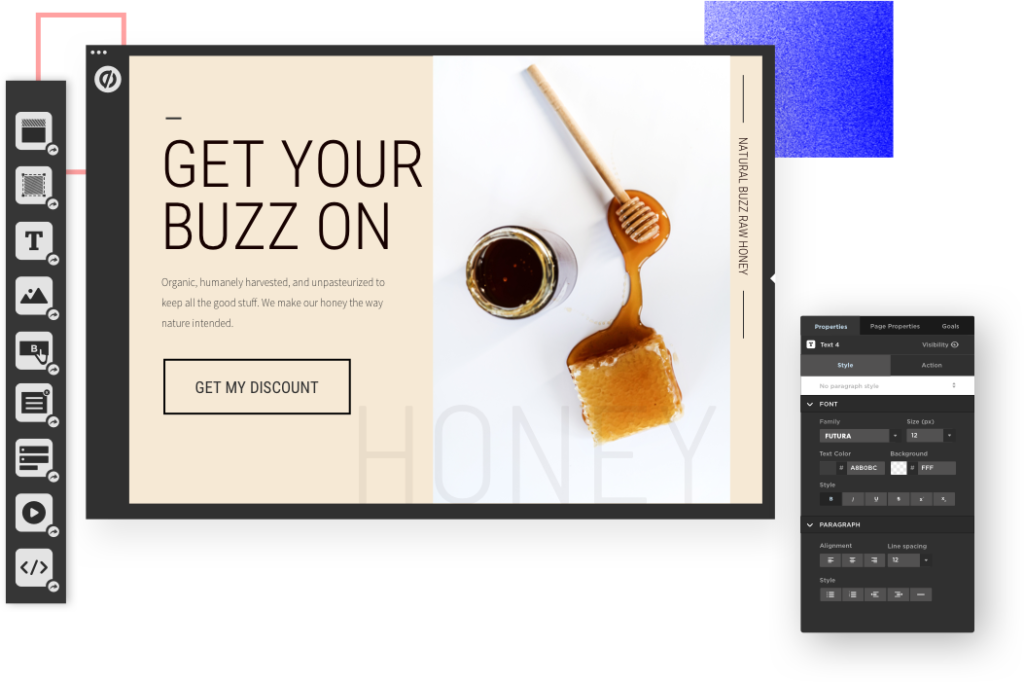
The heart of Unbounce is its visual builder. You can drag sections, images, forms, buttons, and text boxes anywhere on the canvas, rather than being locked into rigid rows or bland templates.
- You’re not forced into the typical “blocky” layout most website builders use; instead, you get near pixel-perfect control over placement.
- You can build separate desktop and mobile versions, adjusting elements independently so each device gets its own optimized experience.
In practice, this means you can recreate almost any design your designer dreams up, or quickly clone competitor layouts you know already convert—without wrestling with CSS.
Templates, popups, and sticky bars
If starting from a blank canvas sounds overwhelming, Unbounce gives you a library of high-converting templates for things like lead gen, SaaS trials, webinar registrations, and product launches.
On top of landing pages, you also get:
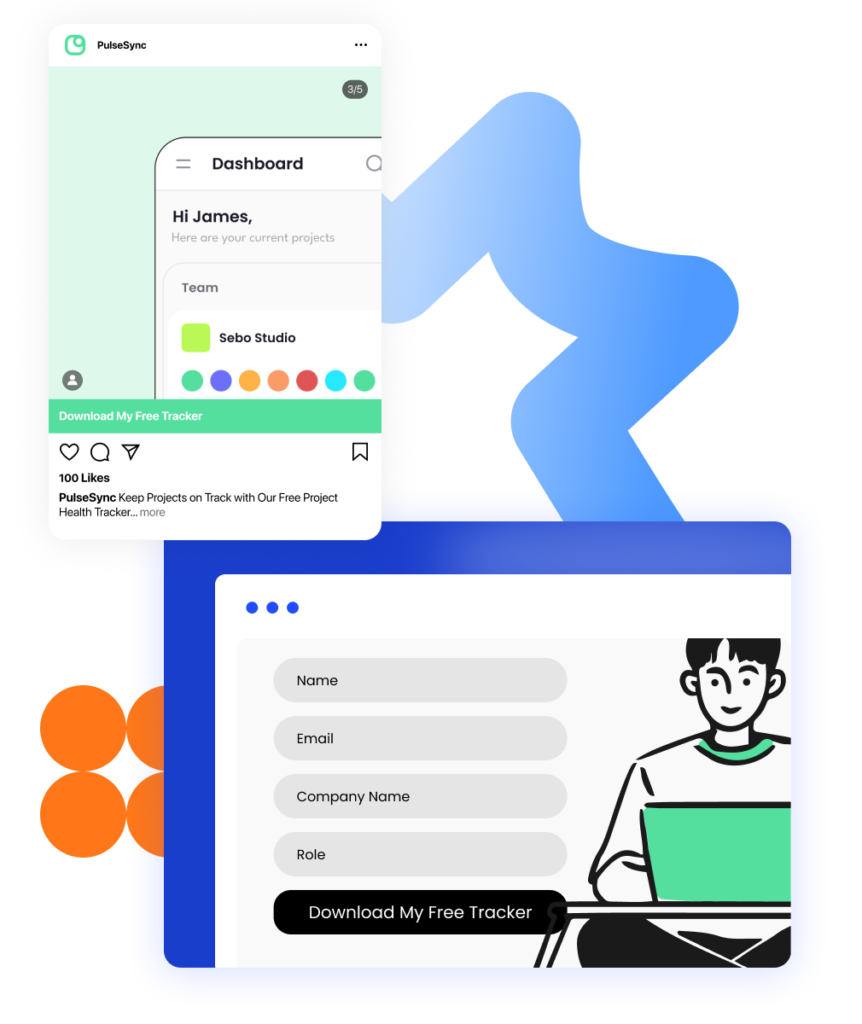
- Popups and sticky bars that can be triggered by behavior, scroll depth, or timing, so you can capture leads on your existing site as well.
- Lightbox popups and two-step forms that appear when users click a button, which often convert better than “in your face” forms slapped in the hero section.
An example: a SaaS company might run traffic to a Unbounce page for “Free 14-Day Trial” while also using a sticky bar on their blog offering a mini-demo or checklist to capture extra leads on the side.
AI tools: Smart Traffic and AI copy
This is where Unbounce feels less like a static page builder and more like a conversion lab.
- Smart Traffic: This AI feature automatically routes visitors to the page variant they’re most likely to convert on, based on attributes like location, device, and behavior. Instead of manually splitting traffic 50/50, Smart Traffic “learns” which variation works best for each type of visitor.
- AI copywriting (Smart Copy): Inside the builder, you can rewrite, expand, or adjust your copy with AI suggestions while seeing how it fits the design in real time.
In real life, that might look like this: you create three variations of a pricing page—one emphasizing discounts, one emphasizing speed, one emphasizing social proof. Over time, Smart Traffic starts sending price-sensitive users to one version and mobile visitors to another, boosting conversions automatically.
A/B testing and experimentation
If you’re serious about CRO, Unbounce’s experimentation features are a big draw.
- You can spin up multiple variants of the same page and test headlines, images, layouts, or entire offers.
- Higher-tier plans allow unlimited A/B tests and more page variants, so you’re not artificially capped when you’re trying to improve performance.
For example, an agency might test three different webinar hooks—“Live Training,” “Free Workshop,” and “Certification Session”—and quickly see which one drives more registrations before scaling paid traffic.
Targeting, personalization, and routing
Unbounce also gives you tools to make your pages feel less generic and more tailored.
- Dynamic Text Replacement lets you change parts of your page copy based on ad keywords or URL parameters (e.g., “Facebook Ads Course” vs “Google Ads Course”).
- Referral targeting and dynamic traffic routing allow you to customize experiences based on traffic source, location, device, and other attributes.
So a visitor coming from a “Black Friday Deal” ad could see urgency-heavy copy and a countdown timer, while an organic visitor might get a calmer, more educational pitch.
Integrations and analytics
Of course, pages are only useful if they plug into the rest of your stack. Unbounce integrates with major email tools, CRMs, and ad platforms, and supports custom scripts for deeper analytics.
- You can pass leads directly into your CRM or email platform, trigger automations, and track conversions accurately across channels.
- Every plan now includes unlimited conversion tracking, so you’re not punished for performing well.
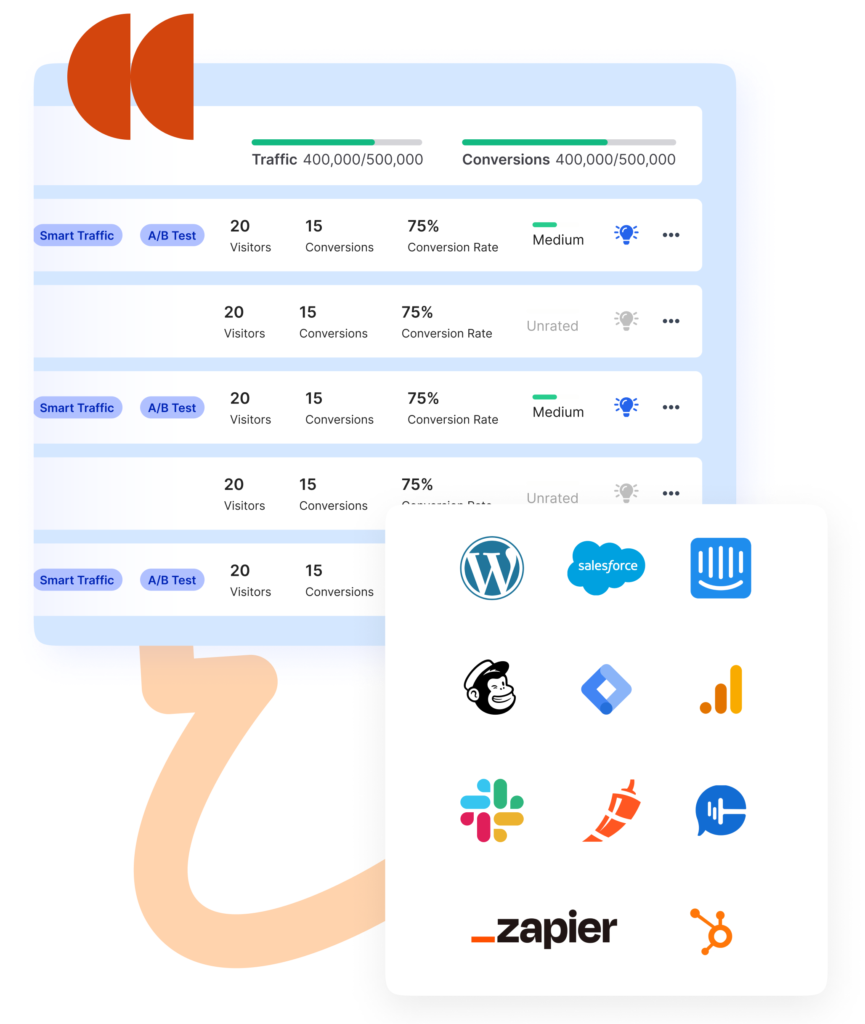
For most teams, this means you can plug Unbounce into your existing workflow without rebuilding your entire marketing stack.
Pricing: how much does Unbounce really cost?
Pricing is where many people pause, so let’s be blunt: Unbounce is not the cheapest tool in the room. But cost needs to be weighed against the revenue it helps you generate.
As of 2026, typical monthly pricing (billed Yearly) looks roughly like this:
| Plan | Monthly price (approx.) | Best for |
|---|---|---|
| Starter | From $22/month | Set up and launch your first landing pages |
| Build | From $74/month | Small businesses, new marketers |
| Experiment | From $112/month | Growing businesses focused on testing |
| Optimize | From $187/month | Higher-traffic, data-driven teams |
| Concierge/Agency | Custom | Large teams and agencies needing scale |
A few important notes about how Unbounce structures its pricing:
- All plans include unlimited landing pages and conversion tracking, which is rare compared to tools that nickel-and-dime you per page or conversion.
- The main constraints are monthly visitor limits (often in the 20,000–50,000 range depending on plan), plus the number of domains and user seats.
- If you go over your visitor cap, Unbounce may bump you to a higher tier in the next billing cycle, so you need to watch your traffic.
- Annual billing knocks the effective monthly price down quite a bit, which makes sense if you know you’ll commit long term.
Is it “worth it”? For a hobby blogger, probably not. For a business where a single client is worth hundreds or thousands of dollars, the math often works in its favor.
Pros of using Unbounce
Let’s talk about where Unbounce really shines in real-world use.
1. Built for marketers, not developers
You don’t need to know HTML, CSS, or JavaScript to launch professional, conversion-focused pages. The visual freedom, templates, and AI copy tools mean one marketer can handle landing page work that used to require a designer and developer.
A solo founder, for instance, can test three different “beta access” pages in a weekend instead of waiting weeks for dev resources. That agility is a huge advantage.
2. Strong conversion optimization toolkit
Between A/B testing, Smart Traffic, popups, sticky bars, and dynamic text replacement, Unbounce is clearly designed to improve results, not just host pages.
If you’re spending thousands on ads each month, even a small lift in conversion rate—from, say, 3% to 4.5%—can more than cover the subscription cost.
3. Flexible design and customization
Compared to many “website-builder-style” tools, Unbounce gives you a lot more creative control. You’re not trapped in rigid columns, and you can adapt pages to match brand guidelines closely.
Agencies especially like this because they can build very different looks for each client, all within the same tool.
4. Solid templates and ecosystem
The combination of built-in templates, third-party resources, and a mature ecosystem means you’re not starting from scratch. You can choose a proven layout, tweak the messaging, plug in your brand assets, and be live in hours, not weeks.
For someone just getting into paid traffic, that faster time-to-launch is a massive advantage.
5. Reliable performance and support
Marketers who use Unbounce long term often highlight that the platform is stable, the builder is relatively smooth, and the support team is responsive. That matters when your pages are directly tied to revenue.
If you’re running a big campaign launch, the last thing you want is a janky editor or unresponsive support dragging you down.
Cons and limitations you should know
No tool is perfect, and Unbounce is no exception. Actually, some of its weaknesses are dealbreakers for certain users.
1. Pricing is on the higher side
There’s no sugarcoating it: the entry-level cost is noticeably higher than many “lightweight” landing page builders. If your traffic volume or budget is small, it can feel like overkill.
For freelancers or very early-stage projects, cheaper options or even built-in page builders inside email tools might be more comfortable.
2. Visitor limits and automatic plan bumps
While you get unlimited pages and conversions, the visitor caps can become restrictive as you grow. If your campaigns suddenly take off, you may hit a limit and find yourself nudged into a higher-tier plan.
For businesses with unpredictable or seasonal traffic spikes, that can make budgeting a bit stressful.
3. Learning curve for full customization
The drag-and-drop freedom in Unbounce is a double-edged sword. New users sometimes find themselves spending more time tweaking spacing and alignment than expected.
If you’re the type who prefers strict, constrained templates that “just work,” the open canvas might feel overwhelming at first.
4. Mobile responsiveness quirks
Instead of a single responsive design, Unbounce uses separate desktop and mobile views, which can require extra tweaking. Sometimes elements don’t translate perfectly between views, and you need to manually adjust layouts.
For teams shipping a lot of pages, that extra step can add up in terms of effort.
5. Limited in-app collaboration
If you work in a large team, you might miss features like in-editor commenting and robust collaboration workflows. While multiple users can work within an account, it’s not as collaboration-first as some newer tools.
Agencies especially may end up using external tools (like project management apps) to manage feedback and approvals around Unbounce pages.
Who is Unbounce best for?
To make this practical, here’s how Unbounce tends to fit different types of users:
- Performance marketers and media buyers: If you’re running paid campaigns and live and die by your conversion rate, Unbounce is very compelling. Smart Traffic, testing, and fast page launch cycles can have a direct impact on ROI.
- Agencies: Being able to spin up bespoke pages for clients, test variations, and integrate with diverse stacks makes Unbounce a strong “agency workhorse.”
- SaaS and product companies: For trial pages, feature launches, webinar funnels, and lifecycle campaigns, Unbounce fits neatly into a modern B2B funnel.
- Established small businesses: If you already have steady traffic and want to “tighten the funnel” rather than just get more visitors, Unbounce can be a smart upgrade.
On the flip side, if you’re just dabbling in online marketing, don’t have consistent traffic yet, or are extremely budget-sensitive, the platform might feel like more tool than you need right now.
Final thoughts: should you choose Unbounce?
Think of Unbounce as a dedicated conversion workshop rather than a generic website builder. It’s designed for people who are serious about optimizing campaigns, not just putting up something that “looks fine.”
If you’re already investing real money into ads or have a business where each lead or sale is valuable, the mix of flexible design, testing features, AI optimization, and integrations can easily justify the monthly cost. If you’re still in the “experimenting and learning” stage with tiny budgets, you might want to start with something simpler and graduate to Unbounce once you’re ready to scale.
Read Our another Review: Instapage Review 2026: Still the King of Landing Page Builders?

