
When people talk about improving videos or restoring old photos, the conversation usually drifts toward complicated editing software. Tools with dozens of sliders, cryptic settings, and interfaces that look like airplane dashboards.
But here’s the thing: not everyone wants to become a professional video editor just to clean up a blurry clip or upscale an old family video.
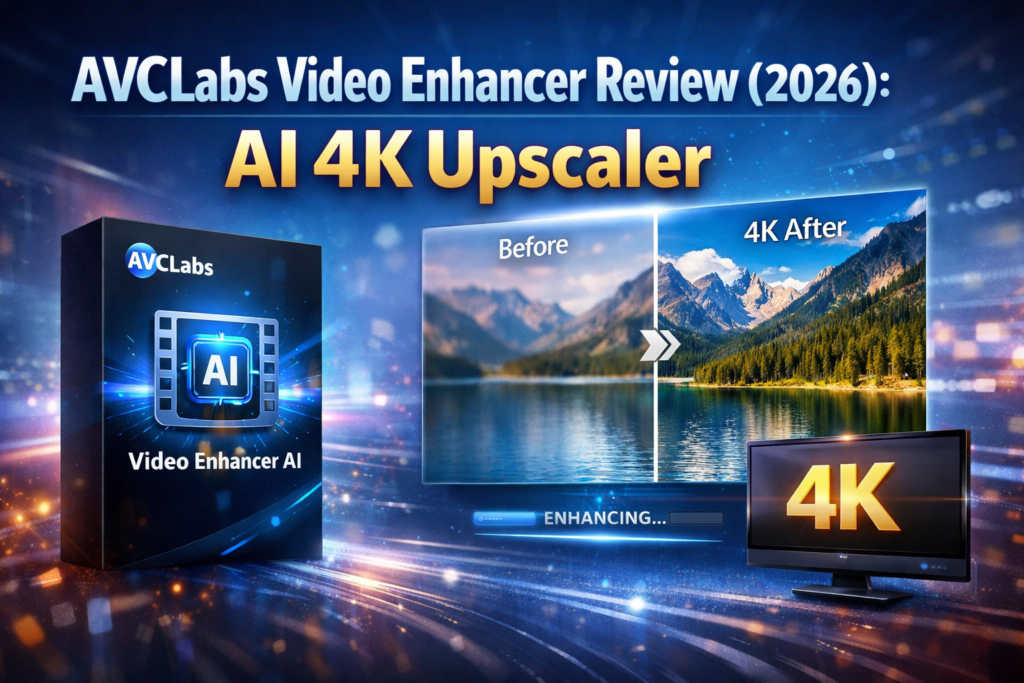
That’s exactly where AVCLabs enters the picture.
Over the past few years, AI-powered enhancement tools have exploded in popularity. Instead of manually adjusting color grading, denoising filters, or sharpening effects, these tools rely on trained machine-learning models to do the heavy lifting automatically. And AVCLabs is one of the names that pops up quite frequently in that space.
So the question is simple.
Is AVCLabs actually worth using, or is it just another “AI magic button” that overpromises and underdelivers?
In this in-depth review, we’ll walk through everything you need to know about AVCLabs — including its features, pricing, strengths, weaknesses, and the kinds of users who benefit most from it.
Let’s dig in.
What Is AVCLabs?
At its core, AVCLabs is a company that develops artificial-intelligence tools for enhancing videos and photos. Their software focuses on improving media quality automatically — meaning you don’t need years of editing experience to get decent results.
Instead of manually tweaking every frame, the AI analyzes the image or video and performs several upgrades:
- Increasing resolution
- Removing noise or grain
- Restoring details
- Improving colors and clarity
- Stabilizing shaky footage
Think of it like hiring a digital restoration specialist… except it works in minutes rather than hours.
A lot of creators — YouTubers, documentary editors, archivists, and even casual users — rely on software like AVCLabs to revive old footage or upscale low-quality videos.
For example, imagine you have a 480p video recorded on an old phone from 2010. On modern 4K screens, that footage looks terrible. Soft details, visible compression, pixelated edges.
Run that same clip through AVCLabs, and the software attempts to reconstruct missing detail and upscale it to HD or even 4K.
Is it perfect? No.
But the results are often surprisingly impressive.
The Main Products Offered by AVCLabs
Before diving deeper, it’s helpful to understand that AVCLabs isn’t just a single tool. The company has created several AI-based programs designed for different types of media improvement.
The most well-known products include:
1. Video Enhancer AI
This is the flagship product and probably the one most people associate with AVCLabs. It focuses on upscaling and restoring video quality.
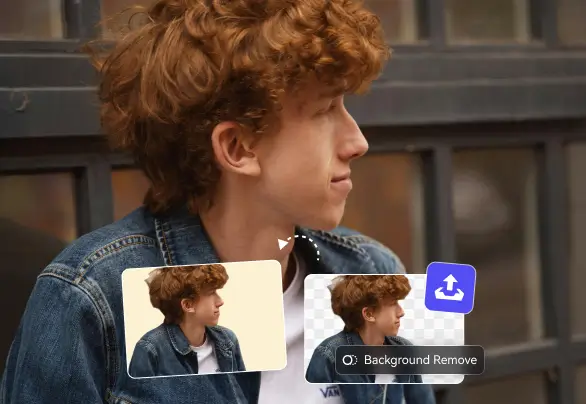
2. Photo Enhancer AI
Designed for images rather than video, this tool enhances photos, removes blur, and increases resolution.
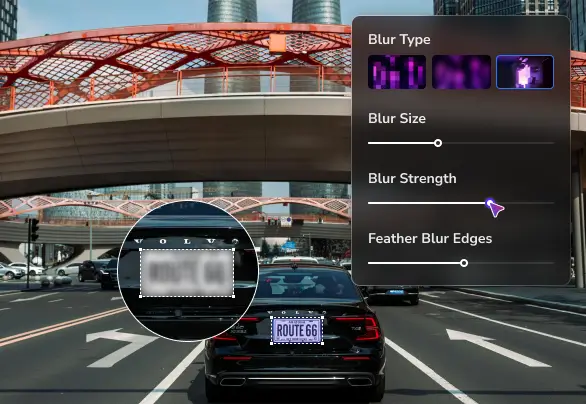
3. Video Blur AI
This software helps automatically blur faces, license plates, or sensitive objects in videos.
4. AI Video Denoiser
A tool specifically aimed at removing grain and noise from footage.

For the sake of this review, we’ll mainly focus on AVCLabs Video Enhancer AI, since it’s the product most users care about.
Key Features of AVCLabs
What makes AVCLabs interesting isn’t just the concept of enhancement — plenty of programs do that. The real draw lies in how much the AI automates.
Let’s explore the standout features.
AI Video Upscaling
Upscaling is arguably the headline feature of AVCLabs.
The software allows users to convert low-resolution videos into higher resolutions, including:
- 720p
- 1080p
- 4K
- even 8K in some cases
Now, technically speaking, software can’t magically create information that wasn’t there originally. But AI upscaling works differently from traditional resizing.

Instead of stretching pixels, the AI model analyzes patterns and predicts what details should exist.
Imagine enlarging an old photo. A standard resize tool would simply stretch the image. The result? Blurry edges.
But AVCLabs studies thousands of similar images to infer textures, shapes, and edges. It then reconstructs missing details.
The difference can be dramatic.
For example:
A grainy DVD rip might suddenly look much sharper when scaled to HD.
AI Noise Reduction
Noise is the enemy of digital video.
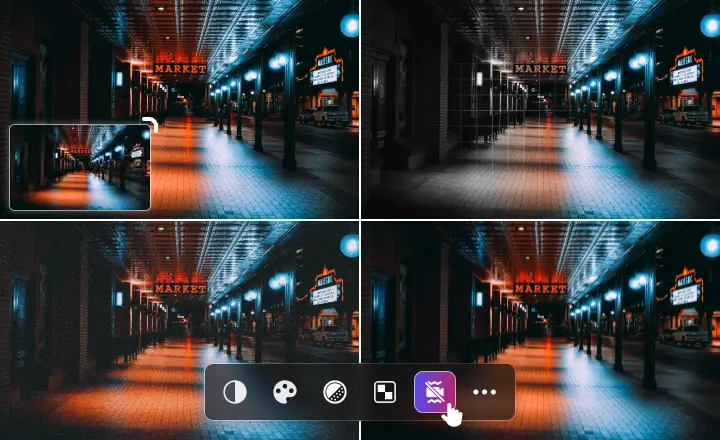
If you’ve ever filmed something in low light — a birthday party, night street footage, indoor scenes — you’ve probably seen that ugly grain crawling across the image.
AVCLabs includes advanced noise-removal models that reduce this grain while preserving details.
In practical terms, this means:
- cleaner backgrounds
- smoother skin tones
- less distracting visual artifacts
One filmmaker described it as “like cleaning a dusty window.” The scene was always there — you just couldn’t see it clearly before.
Face Enhancement
Faces are incredibly sensitive to detail loss. A slight blur can make someone look unnatural or plastic.
That’s why AVCLabs includes a dedicated AI face-refinement model.
This feature detects faces in video frames and enhances them separately from the rest of the scene.
The result?
Sharper eyes, clearer facial features, and more natural skin textures.
This is especially useful for:
- interviews
- vlogs
- documentaries
- social media content
Motion Stabilization
Shaky footage is another common problem.
Maybe you filmed something while walking, or recorded a spontaneous moment without a tripod.
The stabilization tools in AVCLabs attempt to smooth out camera motion.
It’s not quite Hollywood-level stabilization, but for everyday footage it can significantly improve watchability.
Think of it like turning a handheld clip into something that feels almost tripod-mounted.
Batch Processing
Anyone who edits video regularly knows that rendering one file at a time is painful.
Luckily, AVCLabs supports batch processing.
That means you can upload multiple videos and let the software process them automatically.
This feature is particularly useful for:
- YouTube creators restoring old uploads
- studios working with large archives
- educators digitizing old recordings
You basically set the parameters once and let the AI do the rest.
Local Processing (No Cloud Upload Required)
Another advantage of AVCLabs is that it runs locally on your computer.
Why does that matter?
Two reasons.
First, privacy.
If you’re working with personal videos or sensitive footage, uploading files to cloud servers might not feel comfortable.
Second, speed.
Local GPU acceleration can process video faster than uploading massive files to the internet.
Of course, this also means you’ll need a reasonably powerful computer.
Ease of Use: Is AVCLabs Beginner Friendly?
This is where AVCLabs really shines.
Many professional video tools are intimidating. When you first open them, you’re greeted by timelines, waveform monitors, dozens of filters, and menus stacked three layers deep.
AVCLabs takes a different approach.
The interface is surprisingly straightforward.
You typically follow a simple workflow:
- Import your video
- Choose an AI model
- Select output resolution
- Start processing
That’s basically it.
No complicated editing timeline. No overwhelming controls.
Actually, it feels a bit like using a photo filter app — except the results can be far more substantial.
Even beginners can usually figure it out within minutes.
Performance and Processing Speed
Now here’s where expectations need to be realistic.
AI video processing is extremely demanding.
Even with GPU acceleration, rendering can take time.
A 5-minute clip might take anywhere from:
- 20 minutes
- 1 hour
- or longer depending on resolution
If you’re upscaling to 4K, patience is required.
That said, the results often justify the wait.
And compared to manual frame-by-frame editing, AVCLabs is still vastly faster.
Pricing of AVCLabs
Pricing is always an important factor.
AVCLabs uses a subscription model rather than a one-time purchase.
Typically, the pricing tiers look something like this:
Monthly Plan
Around $39–$49 per month depending on promotions.
Yearly Plan
Roughly $100–$150 per year.
Lifetime Plan
Sometimes available for about $300.
The company also offers a free trial, though the trial version usually adds a watermark to exported videos.
Is it cheap?
Not exactly.
But compared to professional editing software — which can cost hundreds per year — it’s still within a reasonable range for serious creators.
If you want to explore the tool further, you can check AVCLabs directly to see current pricing and available plans.
Real-World Use Cases for AVCLabs
Let’s talk about where AVCLabs actually shines.
Because not everyone needs AI enhancement software.
But for certain scenarios, it’s extremely useful.
Restoring Old Family Videos
This is one of the most heartwarming uses.
Many families have VHS recordings from the 90s or early 2000s.
Unfortunately, those videos often look terrible on modern TVs.
With AVCLabs, you can upscale those clips and reduce noise, making memories far easier to watch again.
Improving YouTube Content
YouTube creators sometimes have older videos recorded in lower resolution.
Instead of deleting those uploads, some creators use AVCLabs to remaster them.
It’s a bit like giving your old content a visual facelift.
Documentary and Archival Footage
Documentary filmmakers often work with old footage that cannot be re-filmed.
AI enhancement tools like AVCLabs help improve clarity without altering the historical content.
Social Media Creators
Short-form content creators also benefit from enhancement tools.
A blurry clip can quickly look much sharper once processed through AVCLabs.
Pros of AVCLabs
Let’s summarize the biggest advantages.
Strong AI Upscaling
The enhancement models produce noticeably sharper results compared to traditional upscaling.
User-Friendly Interface
Even beginners can operate the software without much learning curve.
Face Refinement Technology
Faces in videos often look significantly better after processing.
Local Processing
No need to upload large files to cloud services.
Batch Processing
Great for creators who handle multiple videos.
Cons of AVCLabs
Of course, no software is perfect.
There are a few drawbacks worth mentioning.
Processing Takes Time
AI rendering can be slow, especially for high resolutions.
Requires a Powerful Computer
Older machines may struggle with heavy processing tasks.
Subscription Pricing
Some users prefer one-time purchases rather than recurring fees.
Results Vary
While the AI often works well, it doesn’t perform miracles on extremely poor footage.
Is AVCLabs Worth It?
So… should you actually use AVCLabs?
Well, that depends on your expectations.
If you think it will turn a blurry 240p video into cinema-quality 4K footage overnight, you’ll probably be disappointed.
But if you understand what AI enhancement is meant to do — improve clarity, reduce noise, and upscale intelligently — then AVCLabs can be genuinely impressive.
For creators, filmmakers, archivists, and even everyday users with old footage, it can save countless hours of manual editing.
And honestly?
Seeing an old clip suddenly look sharper and cleaner can feel almost magical.
If you’re curious about trying it yourself, exploring AVCLabs might be a good starting point to see whether its AI tools fit your workflow.
Final Thoughts
Artificial intelligence is rapidly transforming creative tools, and video enhancement is one area where the impact is already visible.
Programs like AVCLabs demonstrate how machine learning can simplify tasks that once required advanced technical skills.
Is it perfect? Not yet.
But it’s a powerful glimpse into the future of media restoration and enhancement.
For anyone who regularly works with low-quality footage — or simply wants to bring old memories back to life — AVCLabs is definitely a tool worth considering.
And who knows?
That dusty old video from years ago might just look better than you ever expected.
Read Our another Review: Luminar Neo Review 2026 — Best AI Photo Editor for Beginners?

